Choose the location before choosing the settings
A good outdoor recording starts with listening. Stand where your speaker will stand, stay quiet for a minute, and notice what changes: passing vehicles, ventilation fans, footsteps, birds, or a nearby conversation. A place that seems peaceful between cars may be difficult to use during a full interview. If you can, move away from roads and hard surfaces that reflect traffic noise. A building corner, hedge, or wall may offer shelter, but check that it does not introduce an echo or put the speaker beside a humming unit.
Think about the sound you want to keep, not just the sound you want to remove. A little background activity can establish a scene. The aim is to make the voice easy to follow throughout. When the location is flexible, record a short test in each promising spot and listen through headphones before settling in. If the sound changes with the direction you face, position the speaker so the microphone points away from the loudest source.
Protect the microphone from wind
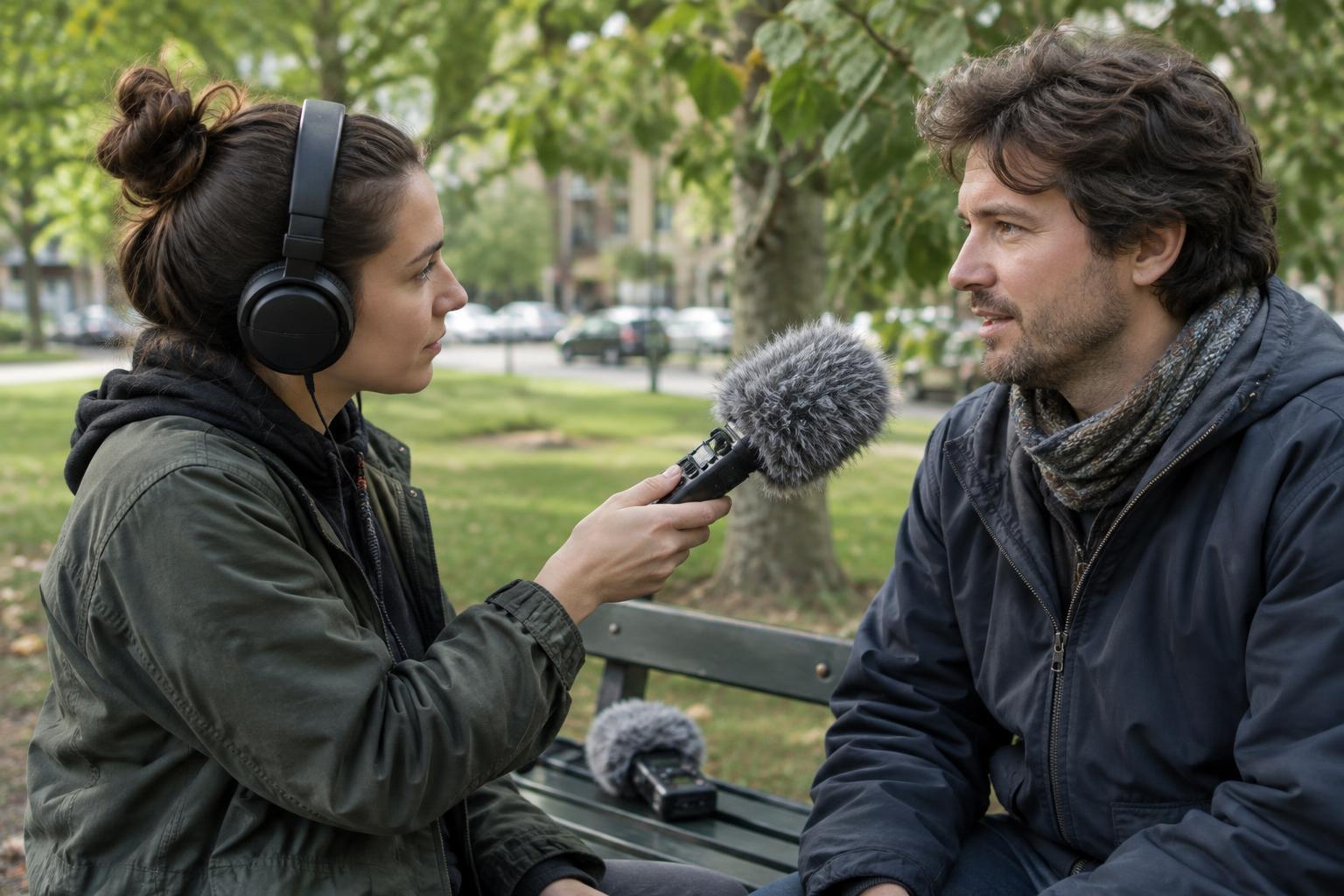
Wind hitting a microphone can create low, rough bursts that overwhelm speech. A foam cover helps with light air movement, but stronger or gusty conditions usually call for a furry cover or a blimp-style windshield suited to the microphone. Fit the protection securely and make sure it does not brush against the mic, a cable, or clothing. Covering the microphone with a hand or thin fabric may block some wind, but it can also muffle the voice or add handling noise.
Shelter and placement still matter when you have a windscreen. Keep the microphone close enough for a clear voice and, where practical, place your body or a fixed object between it and the wind. Do not let that shelter force an awkward speaking position. On a clip-on microphone, hide the capsule beneath an appropriate wind cover rather than pressing it directly against fabric. Ask the speaker to turn and move as they normally would during a brief test; clothing rustle often appears only once the conversation starts.
Get close, set levels, and keep listening
Distance affects the balance between speech and surroundings. A handheld microphone held consistently near the speaker can make their voice more prominent than traffic farther away. A clip-on microphone keeps a steady distance when someone turns their head, although it may pick up clothing movement. A directional microphone can be useful when it is aimed carefully, but it cannot erase a bus passing behind the speaker. Choose the setup you can position and monitor reliably.
Set recording levels while the speaker talks at a natural volume, then leave room for louder words or laughter. Avoid setting the level so high that peaks distort; a clipped word is difficult to repair. Headphones help you catch problems that meters alone will not show, including wind bursts, cable taps, and a vehicle arriving halfway through an answer. If you must handle the recorder, grip it steadily and keep your fingers clear of the microphone and controls.
Before a longer conversation, record a short sample and play it back. Check that the voice remains understandable when traffic passes, not only in the quiet gaps. Keep watching for changing conditions as you work: a shift in wind direction or a new source of noise may call for a different position.
Work with interruptions rather than fighting them
Some outdoor sounds are too loud to record through. Agree on a simple pause signal with the speaker, then stop for passing trucks, aircraft, or other interruptions that mask words. Wait for the sound to fade before restarting the sentence. For an interview, a short pause is often less disruptive than discovering later that an important answer cannot be heard. If pausing repeatedly breaks the conversation, consider moving to a nearby sheltered spot and recording a separate sample of the original location for context.
At the start or end of a session, capture a little uninterrupted ambient sound while no one speaks. This gives you a sense of the place and can help smooth edits between clean takes. It will not replace missing words or make a noisy answer intelligible. If you can make a backup recording, treat it as insurance and listen to it briefly too; an unchecked second device may share the same problems as the first.
Review the recording before you leave
Listen back to a few complete sentences, especially those recorded during the noisiest moments. Ask whether every important word is clear, whether wind has buried any phrases, and whether the microphone or clothing made distracting sounds. If a key line failed, ask for another take while the speaker and location are still available. Repeating a sentence with the microphone closer is usually more effective than relying on editing to rescue it later.
Basic editing can reduce some steady background noise and trim interrupted takes, but aggressive cleanup may make speech sound thin or unnatural. Protect the original recording, work from a copy, and compare each edit with the unprocessed voice. The most dependable outdoor workflow is simple: find the quietest workable position, shield the microphone, listen as you record, and fix problems while you are still on location.