Start with the room, not the app
Clear speech begins before you press record. Listen to the space for a minute: can you hear a fan, traffic, a refrigerator or voices from another room? Your phone may capture sounds you stop noticing while you talk. Move away from steady noise when you can, and pause appliances you can safely turn off. Close doors and windows if doing so makes the room quieter.
A small, furnished room often works better for speech than a large, bare one. Soft furnishings can reduce the hollow sound caused by reflections from hard surfaces. You do not need to build a booth: try speaking near curtains, a rug or a bookcase, then compare a short test recording with one made elsewhere. Choose the spot where words sound natural and background noise is least distracting.
Place the phone for a steady voice
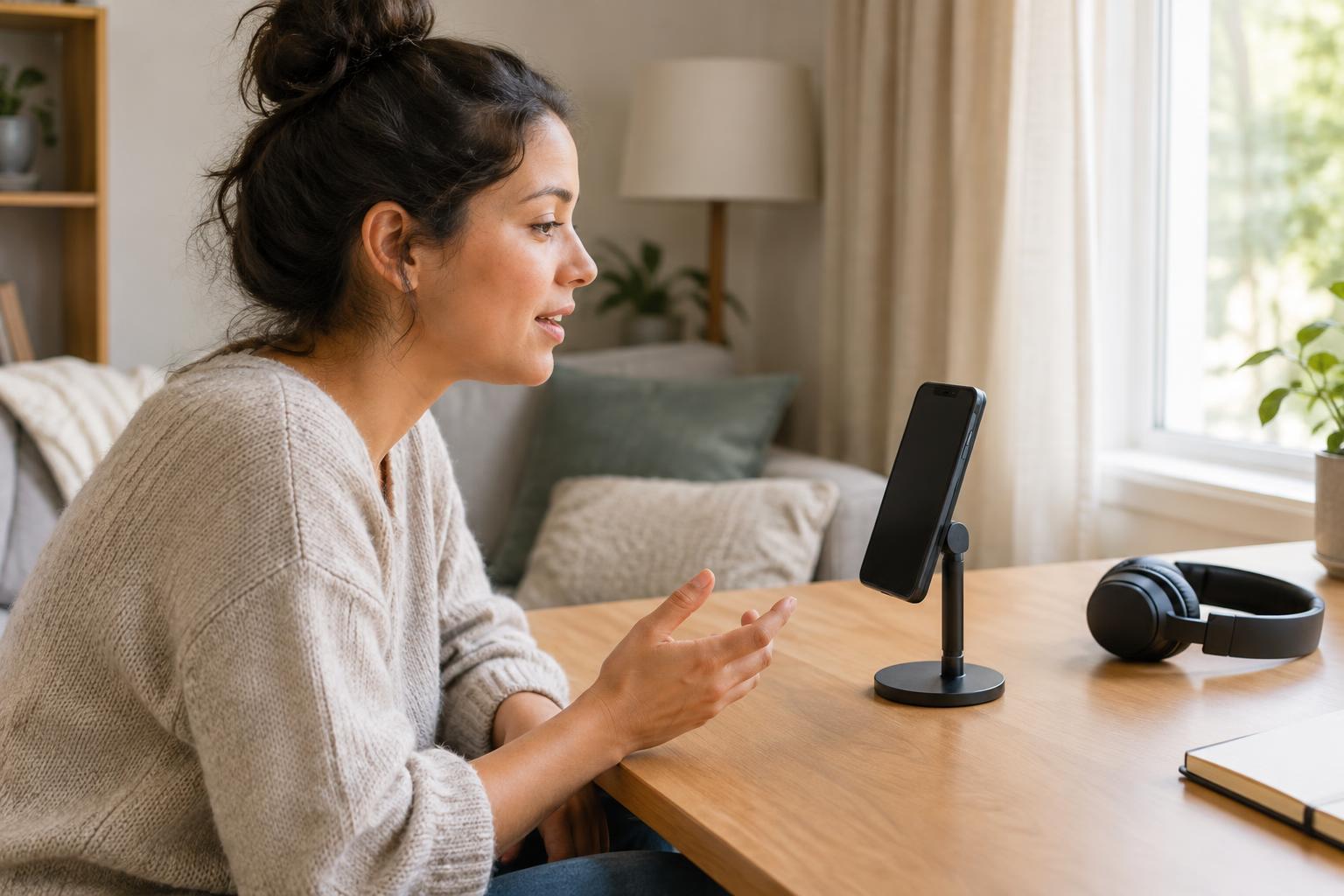
Find the microphone opening on your phone and keep it uncovered. Rather than holding the phone in your hand, rest it on a stable surface or stand. This helps avoid finger noise and small changes in distance as you gesture. Put it roughly a hand’s span from your mouth as a starting point, then adjust after listening to a test. If the recording sounds thin or distant, move closer; if breaths and hard consonants sound harsh, move slightly farther away.
Aim the microphone toward your mouth but a little to the side, rather than directly in the path of your breath. Speak at a comfortable, consistent volume. For an interview, place the phone where it can hear both people without being bumped, and ask each person to stay reasonably close to it. One phone in the middle may not capture two speakers equally well, so test their voices before beginning the full conversation.
Make a short test and listen back
Use a recording app that lets you save and replay the original audio. Before a long take, record about half a minute at your intended speaking volume. Say a few words with sharp consonants, leave a brief pause, and listen through headphones if available. Check for hum, echo, muffled words, bursts of breath and changes in volume. A test is also a chance to catch simple problems, such as a case covering the microphone.
If the app shows an input meter, watch that it responds clearly to your voice without repeatedly reaching its maximum. If it offers input-gain control, lower the gain when loud words sound distorted; increase it cautiously when your voice is too quiet. Some built-in apps set gain automatically, so moving the phone or changing rooms may be your most useful adjustment. Avoid trying to fix obvious distortion later: record another take when possible.
Keep the recording session simple
Put the phone on a stable surface, silence notifications and check that you have enough battery and storage for the session. Use a mode that prevents calls and alerts from interrupting you, while making sure the recording app still works as expected. If your material matters, run another brief test after changing a setting. Name files clearly when the app allows it, so you can tell a rehearsal from the take you want to keep.
Give yourself a few seconds of quiet at the start and end of each take. If you stumble, pause and repeat the sentence rather than stopping immediately; the pause makes the correction easier to find when editing. For longer sessions, stop at natural breaks and check a sample of what you have captured. It is better to discover a covered microphone halfway through than after the conversation has ended.
Edit for clarity, then save a copy
Editing should make the speech easier to follow without making it sound unnatural. Trim long waits and obvious mistakes, but leave enough space for sentences and ideas to breathe. If your editor offers noise reduction, apply it lightly and listen for watery or metallic-sounding words. Raising the volume can help a quiet recording, but it also raises background noise; it cannot fully restore speech that was distant or distorted.
Keep an untouched copy of the original recording before making substantial edits. Export a version in a format your intended platform accepts, then listen to the exported file from beginning to end, ideally on more than one pair of speakers or headphones. Check that the opening is present, both voices are understandable and the ending is complete. That final listen turns a promising phone recording into a dependable piece of spoken-word audio.